

The South African gaming scene has been abuzz with excitement around the prospect of cloud gaming via Nvidia’s GeForce Now service since it was announced last year.
Now, we’re finally able to share more details about this service thanks to the super exclusive beta access we managed to get our hands on. Even though this is a closed beta, here is everything you need to about the Nvidia GeForce Now service that is powered by rain.

Let’s start with the basics: what is GeForce Now?
Unlike other cloud gaming services, the idea behind this service is slightly different. GeForce Now features over 1500 games that you can play, but this is not an all-you-can-eat service like Netflix, where you can freely consume any content. With GeForce Now, you connect your Steam, Epic Games and Ubisoft accounts and play the games you already have a license for. Essentially, it gives you access to your gaming library anywhere you may be, on any device, now – hence the name, get it? Of course, you also have access to all the free-to-play games on these services too.
In an interview with rain’s head of engineering, Dave Kruger, earlier this week, we asked whom they are aiming this service at; “At rain we want South Africans to have access to the best technology globally, now the casual mobile gamer and even the more hard-core and competitive gamers can access the latest cloud gaming technology on any device.”
And that is where the key to this service lies… gaming on any device. More specifically, mobile.
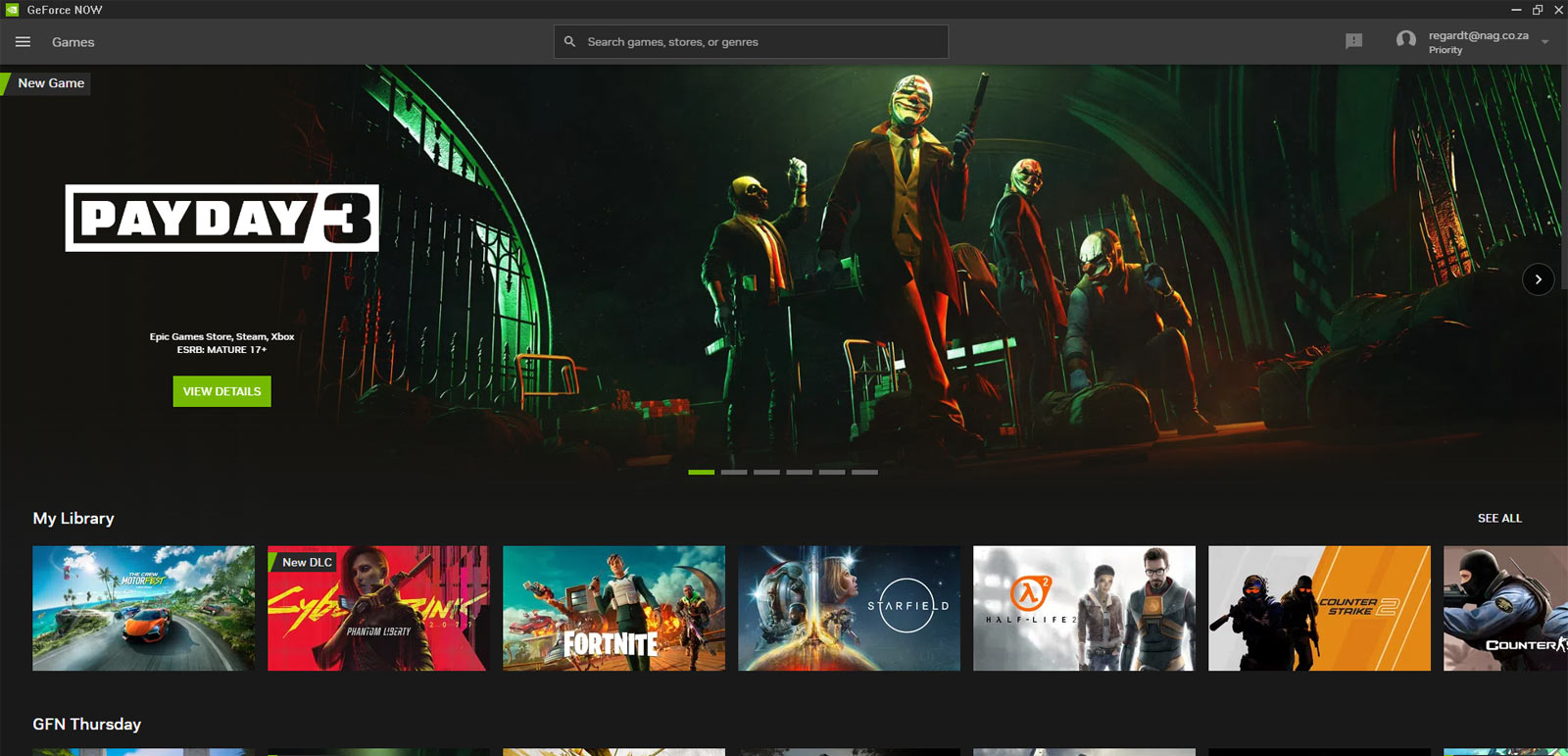
Because you are streaming the game from the South African-based GeForce Now servers powered by rain, the hardware you game on can be anything from an old laptop to the smartphone in your pocket. This means you can play some of the most demanding AAA titles, like Starfield and Cyberpunk 2077, on any device that can run the GeForce Now app. The app is available on Windows, macOS, Android, iOS, Chromebook, Tizen and WebOS devices. You can even game directly from your browser window.
Of course, GeForce Now on your smartphone will require a controller to get the most from the game. Playing on the phone’s touch screen is not always ideal, as many games do not cater for touch-only controls. Fortunately, the GeForce Now game overlay does let you use touch controls in any game, even if it’s not the ideal control method.
GeForce Now Packages
There are two packages that gamers can choose from when signing up for rain’s GeForce Now service. The first, and this is the only one available during our beta, is the Priority package. This will be the standard package for the average gamer who is just looking to get gaming. With a resolution cap of 1080p at 60fps, this package will be more than sufficient for most gamers, especially if they game on mobile or old computer hardware. The prices listed below are just for the Beta. I asked rain’s head of marketing, Marina Loubser more about the pricing model, but, understandably, they were not able to share the launch pricing with us. We also don’t have confirmation on launch dates either, but I bet we’ll see the commercial launch somewhere towards the end of the year.
The second package gamers will be able to sign up for is the Ultra package. This one will allow you to stream games at 4k and up to 120fps, with performance expected to be equivalent to that of a GeForce RTX 3080 gaming machine.

Wait, hold up, did I just spot a 90-minute time cap on the game sessions for the Priority package?
Yes, indeed, game sessions on GeForce Now will be limited, but it’s not as dire as it sounds; these limits are imposed in every region where the services are live. In our interview with rain about its GeForce Now servers, Kruger says this limit is intended to give everyone a chance to access the services. Moreover, rain will be looking at increasing these limits once the commercial launch goes live, and we’ll likely see the Priority package session length increase to around 3 hours while the Ultimate package could have as many as 8-hour game sessions available to gamers. When your session expires, you can just join the queue again and jump on. If the servers aren’t in high demand, you’ll likely be able to jump on immediately. There is no limit to the number of times a gamer can jump on the service each day.
The GeForce Now Game Library
There are over 1700 games available on the GeForce Now servers; at the time of writing this, there were 1713 games, to be exact. The game list is defined by Nvidia and loaded to the GeForce Now servers. To access your game libraries, you can connect your GeForce Now app to your Ubisoft, Epic Games and Steam accounts. Most of the popular titles you’d expect will be on there, but many indie games and older titles might not be available. This includes Early Access titles.
If you are browsing the GeForce Now library and come across a game you’d like to play but don’t own, the app lets you jump straight to the game store of your choice and buy the game. You can then play it instantly without installing a single bit of data for the game. Neat.

GeForce Now Settings
There are quite a few cool things about the settings page in the GeForce Now app, it’s a one-page overview of your accounts, the server location and your streaming quality. You can also tweak the resolution upscaling of your stream. This is handy when you are gaming on large displays or small monitors with odd resolutions. With this feature, you can ensure the game will stream correctly no matter the device you game on.
For Ultra subscribers, you’ll be able to save any custom graphics settings in-game; for everyone else, the game’s graphics settings will revert to the game’s default settings every time you enter a stream session. For Discord users, you’ll be able to broadcast your game activity as your status message.
One of my favourite features on the settings screen is the streaming quality section. Here, you can adjust performance and data usage to suit your needs. From Balanced to Data Saver these are the options we’ll likely use the most. If you want to limit the data usage of GeForce Now’s game streams, you can turn on Data Saver, which will limit data use to about 4GB per hour – for the balanced profile, you’ll use about 10GB per hour. For those of us who are competitive or like to tinker, there are the Competitve and Custom quality options you can select. The former changes the resolution to 720p at 60fps and will use about 5GB per hour.
The Custom mode lets you adjust each of the settings independently; these include the max bit rate and resolution of the stream, while you can also set the frame rate and toggle Vsync between on, off or adaptive. For South Africans, the adjustment for poor network conditions will come in handy.

First Impressions
Considering the service is still in Beta, we’ll reserve our final verdict for a later date, but suffice it to say, we’ve been impressed with what we’ve experienced so far. The latencies and streaming quality are pretty impressive – to think that one can play a AAA title with RTX enabled on a four-year-old smartphone still blows our minds (Compete with that iPhone 15!). Comparing games side-by-side, one streaming and one running natively, you can definitely spot a drop in sharpness with each frame, but it’s the same effect you get when you stream a movie: a slight loss of fidelity is a given at 1080p when you stream content. The smaller the screen, the less noticeable this is. When we see the 4K streaming option, we’ll be able to give a more in-depth comparisson, so keep an eye on NAG for a full review after the commercial launch.
What is most exciting about the GeForce Now launch is that it will breathe new life into old hardware, creating a much lower barrier to entry into gaming. You will no longer need to worry about PC upgrades if you are cash-strapped. You can save your rands to buy the game you want and then play it via the GeForce Now service until such a time you have the money saved for a killer gaming rig. For most gamers using this service, they may not even want to upgrade to a fully-fledged gaming machine. Mobile gamers and those who game on their smart TVs will instantly be able to turn their old hardware into a next-gen console, without spending big bucks on dedicated gaming hardware.

For me, this is the most exciting thing to happen in gaming in a long time, especially if you are a gamer on a very tight budget.
Most comments that I’ve seen about the GeForce Now service, powered by rain, is that gamers are worried about having to sign up for a service such as rain, just to get hold of GeForce Now. You don’t need to be a rain One subscriber to benefit from GeForce Now. If you are rain One subscriber, you’ll get a discount on the GeForce Now subscription, but anyone will be able to sign up for just the GeForce Now service.
In our interview, we also asked Kruger what benefits there will be for rain subscribers versus those, say, who are on a fibre network, and he confirmed that GeForce Now will be optimised on the rain network; “The service is truly universal and should work great on any type of internet connection, however, your milage may vary. This is simply because of how the internet is operated. On the rain network, we optimise the Geforce Now experience end-to-end, but we cannot guarantee the quality of service on other providers’ networks,” he says. Considering the servers are situated in one of our big local data centres, if you have a good internet connection, one which can stream Netflix, for example, you’ll be able to stream games with ease.
If you have any questions about the GeForce Now service, drop us a comment. Check back for more updates on GeForce Now soon.
